Pages

Showing posts with label Chrome. Show all posts

Friday, January 27, 2012

How-To: Fix Track-pad in Ubuntu on a Chromebook

If you followed my post on how to install Ubuntu on a Chromebook, then I’m sure you were less-than-impressed with the track-pad. It acts unresponsive at times, and the multi-touch just isn't there. Well, I recently decided to start using my Chromebook for some Android development (RTE App maybe?) and found that there was a driver to fix the track-pad in Ubuntu.


Courtesy of the CR-48 blog (which also shows how to install Ubuntu), you can install functional track-pad drivers. This includes multitouch, two finger scrolling, and  better responsiveness. All you need to do is download the DRIVERS and double click on .deb package. Then follow the on screen instructions agreeing to all of the terms of service. It will prompt you for the root password (which is user by default). Once done, restart your Chromebook and start programming!

Have more tips/questions? Tweet me @RoboTechEd or on Facebook.

Sunday, October 2, 2011

Installing Ubuntu on a Series-5 Chromebook

Dualbooting the Samsung Series-5 (I have the 3G version) with Ubuntu is actually a lot easier than expected and is almost the same as dualbooting on the CR-48 (Google’s beta program to Chromebooks). Online there aren't many tutorials on how to do this because the method used on the CR48 still works perfectly. You can find the tutorial HERE, and I personally only had one problem throughout the whole process.

After Ubuntu is installed for some reason my Chromebook wouldn't boot into my Linux partition. After trying all of the possible commands,  I decided I needed to do some more research, and discovered my boot-up screen looked different from other people’s. They had a massive blue frowning computer picture when booting while I only saw some ASCII art. It turns out, once you boot into developer mode, you need to install a developer BIOS. To do so you open the terminal (Ctr Alt ->) and type in the following.

localhost login: chronos
chronos@localhost $ sudo bash
localhost chronos # chromeos-firmwareupdate --mode=todev

When you restart, your computer startup screen should look like this (press Ctrl+D to skip)
After running that, you will want to re-run the startup script ‘wget http://goo.gl/hnkxo; sudo sh hnkxo’. Your Chromebook should now boot up into Ubuntu! If you want to easily switch between them click HERE for a simple tutorial. If you have any issues feel free to comment here, or tweet me @RoboTechEd.

Monday, September 26, 2011

ChromeOS Getting Ready for Tablets?


Chrome released a new home page for all beta and dev users a few days ago and it seems like an oddly familiar interface. Maybe you would agree, take a look at the pic below.


Yeah, the old scroll interface is finally gone. It seems to be less computer savvy (although much more sleek) and also much more versatile. And although this is speculation, it could mean that ChromeOS is getting closer to a release on a tablet. Like Android(also Google owned) chrome OS is planned to be ported over to tablets at some point in the future. Although it seems to be far away, at least this update is a step into the right direction, and a step to a cleaner looking homepage! (Anyone else have so many apps that it just looked kind of messy when you scrolled down...If you want to add to that mess you should click HERE to get daily RoboTechEd updates!)

Let me know what you’re thinking on Twitter or the comment box below!

Monday, September 12, 2011

Samsung Series 5 - Making the iPad Retro


Most people believe that the Samsing Series 5 Chromebook is a tad overpriced ($500 for the 3G version). Because the software is completely free, I can understand why. But the specs of the Chromebook often seem to get overlooked; with a dual-core 1.6GHz Intel processor, an absolutely massive battery (8 hours actual and predicted), a 1MP HD webcam (which is surprisingly clear), and a beautifully bright and crisp screen, a Chromebook beats the netbook standards by a long shot. But what really makes a Chromebook worth its hefty pricetag is the reliability and convenience...And a free 100MB of data per month on the 3G version.

The Chromebook weighs just over 3 lbs and is very comfortable to carry. I see it as a replacement to a tablet, which for a business/college student, is a must. The SSD allows it to boot up in less than 8 seconds, every time, and the battery makes it so it needs to be rarely charged (preventing that “I have 3 minutes to get an outlet before I loose everything feeling). A Chromebook has all of the convenience factors of a tablet, while giving you the processing necessary for a heavy Internet user. Plus - It has a keyboard (ever try to actually type something more than a paragraph on a tablet!?).

I bought my Chromebook for school,  not to replace my main PC, but as an alternative to my tablet (which I realized I only really enjoyed using for gaming anyways). I hacked it to run Ubuntu just in case I need to run some necessary programs, like most tech majors are forced to. I highly recommend it as a replacement to a tablet, or even a laptop depending on what you use it for. And for the tech savy people out there who need their programs, files, and games? Just load your chromebook up with linux and enjoy the 10 second boot - it is open source ya’know.


Friday, April 8, 2011

Roboweek is Here! Are You Ready?

Today’s pretty exciting, for a few reasons. First of all, the second annual #Roboweek starts TOMORROW. And no, I’m not messing with you. National Robotics Week is a real event (nationalroboticsweek.org), and is a week long of celebrating...well you know...robots! I don’t know about you, but I plan on celebrating all week by the only way I know how - blogging! Everyday throughout #roboweek I will be posting solely about robots, so make sure to check back here daily! To find out about local #roboweek events, follow @roboweek and tweet all of your traditions and news to them using the #roboweek hashtag. Robots everywhere are begging you! They need a week of appreciation (you would too if you worked over 100 hours a week)!

The second big announcement is that I have developed a Chrome app for RoboTechEd! That’s right, you can now get easy access to your favorite indie blog! Click HERE to download it, and don’t forget to rate it! Feel free to give any help and suggestions by tweeting @Roboteched or emailing me HERE. It only takes 5 seconds, and will guarantee you never miss a #Roboweek post!

Are you ready for #Roboweek? What do you have planned?less than a minute ago via web Favorite Retweet Reply

Tuesday, April 5, 2011

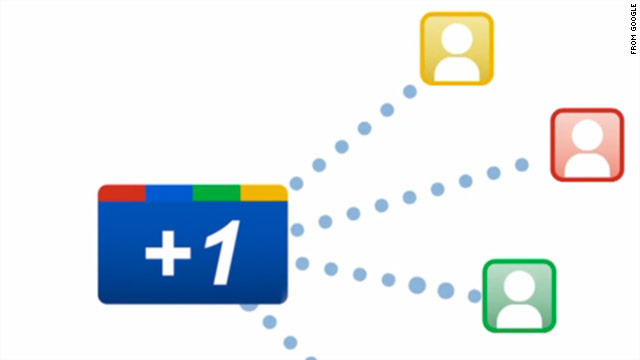
Google+1 - Combining Friends With Your Searches

Google released their newest social-network feature recently, calling it ‘Google +1’. And although 50% of my posts have to do with Google (yeah I am somewhat obsessive), I think this is one of their neatest ideas yet. G+1 is built into Googles new profile pages, and is a simple way to say “This is a website worth checking out, but not worth tweeting”. It is a little button next to a Google search result, that says +1 (duh). When you click the button it adds an update to the +1 page on your Google profile; so that all of your Google pals can see what you've been searching (Click HERE to see my recent +1s).

But what really is making this +1 feature look promising is its ability to weed out the useless search results. You know, searching ‘RoboTechEd’ and getting your favorite blog instead of some random TV show. Then, when you +1 it, Google will start to catch on that RoboTechEd is an amazing blog, and bump it higher on the search results list. Getting you the results that you are actually looking for!

To sign up for G+1 go HERE, it is still in development stages, but won’t affect your performance (so there’s no reason not to). Also, check the this video for more info, and make sure to +1 RoboTechEd on Google! And Tweet this post so your friends can, and their friends can too! (a guy can dream cant he?)

What do you think of Google +1? Are you testing it? #ilovegoogleless than a minute ago via web   Favorite | Retweet | Reply


Tuesday, December 14, 2010

Chrome OS: Free Netbook, Please!?

Everybody and their mother (seriously, even my mom) has applied for Google’s new Chrome OS beta testing, or as they call it ‘Pilot Testing.’ This new revolutionary netbook is simple; nothing but a web browser, and lacks end-product  functionality, like USB Support, and printing (which you can expect in later updates). It sports an Intel Processor (said to be ~1.6GHz), 2GB of RAM, and also comes with fully built in webcam support, Bluetooth, and a free 100mb of data a month courtesy of Verizon. Not a bad gig for free, eh? And for you fellow nerds out there who are planning to ‘jailbreak’ it, no worries; It comes with a built in mode to allow you to edit the source code (probably because Google is looking for easy solutions to the initial issues).


It is said that Google has around 60,000 to send out to people. Yes, that is 4 zero’s. And best of all, the application takes a total of 20 minutes; no jumping through flaming hoops, or giving Nigerian bankers your bank account info. Not only that but it’s rumored that you get to keep the netbook after the trial, which should be an incentive to almost anybody.


Now, I know that by informing people of this will lower my chance of winning, but I want to see Google succeed with the best users more than I want the netbook...Well, that’s half true, but I could use a little competition seeing as I’m Google’s biggest fan. So, want to see what Chrome OS is all about? Check out the video below for a demo of what you can expect. And if you’re already sold, click HERE for the application.


Update: Yeah! My friend (Not me :(  ) , so feel free to check out his blog on his Chrome experience. Appropriately named 'The Chrome Chronicles.'


Tuesday, October 26, 2010

Google Chrome OS

Haven’t heard of it yet? Well, you will. Google Chrome OS (Google’s using Chromium as a working title) will soon become a well known operating system. Google released the opened-source beta over a year ago, with the genius idea of letting the online community develop it. Not only does this idea provide free cheap labor (not like Google needs it), it also allows them to get ideas from thousands of brilliant computer programmers. But what is Chrome OS, and why is it so great? Simply put, it’s our first step into the cloud.

Chrome OS is only a web browser, with all of the functionality of a high powered PC. With a crazy fast 4 second boot up time, it allows any person to log in to their Google account, and have access to all of their files; anywhere. This may not seem too appealing now, with desktops already able to do that-but it will be a powerful addition to netbooks. And with wifi available almost anywhere, the cloud is starting to look a lot closer.

Check Out the Chromium Blog!